Keep a job chemical list.
Add products as they arrive. Keep the job’s chemical list and maker SDS links together.

The maker’s safety data sheet. On your phone.
Scan a label or a job’s QR poster. Find the maker’s SDS when a matching sheet is available. Keep chemical lists and HazCom training sign-off records by job.
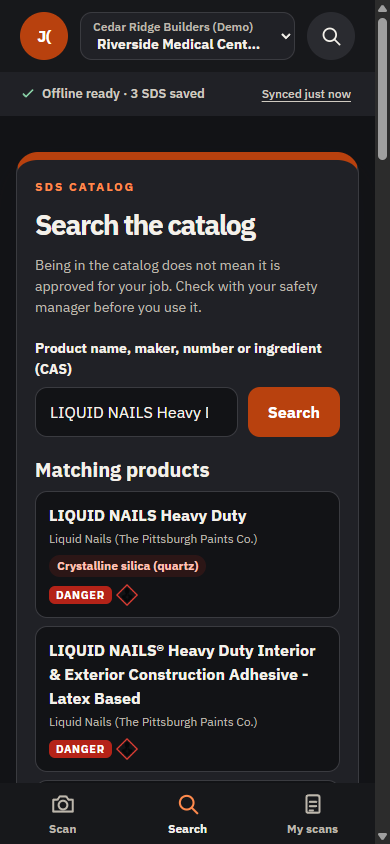
Find a sheet in three steps
Take a label photo or search by name. Compare the product and maker with the label.
Label photos need an internet connection. Save SDS before you lose signal. Check the product name and maker against the label.
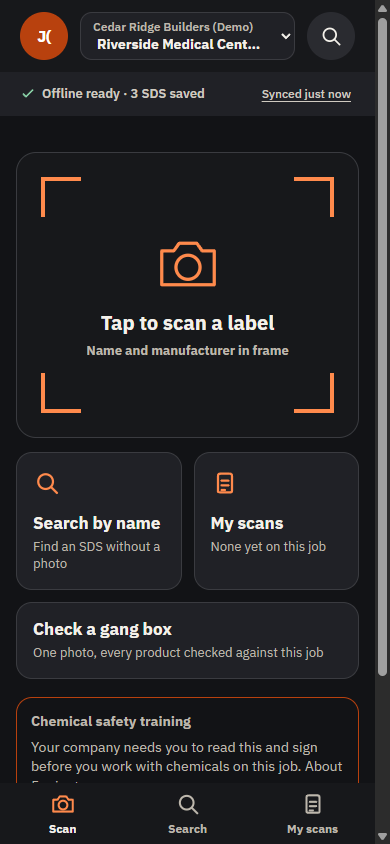
Take a label photo or type the product name.
For contractors and safety leads
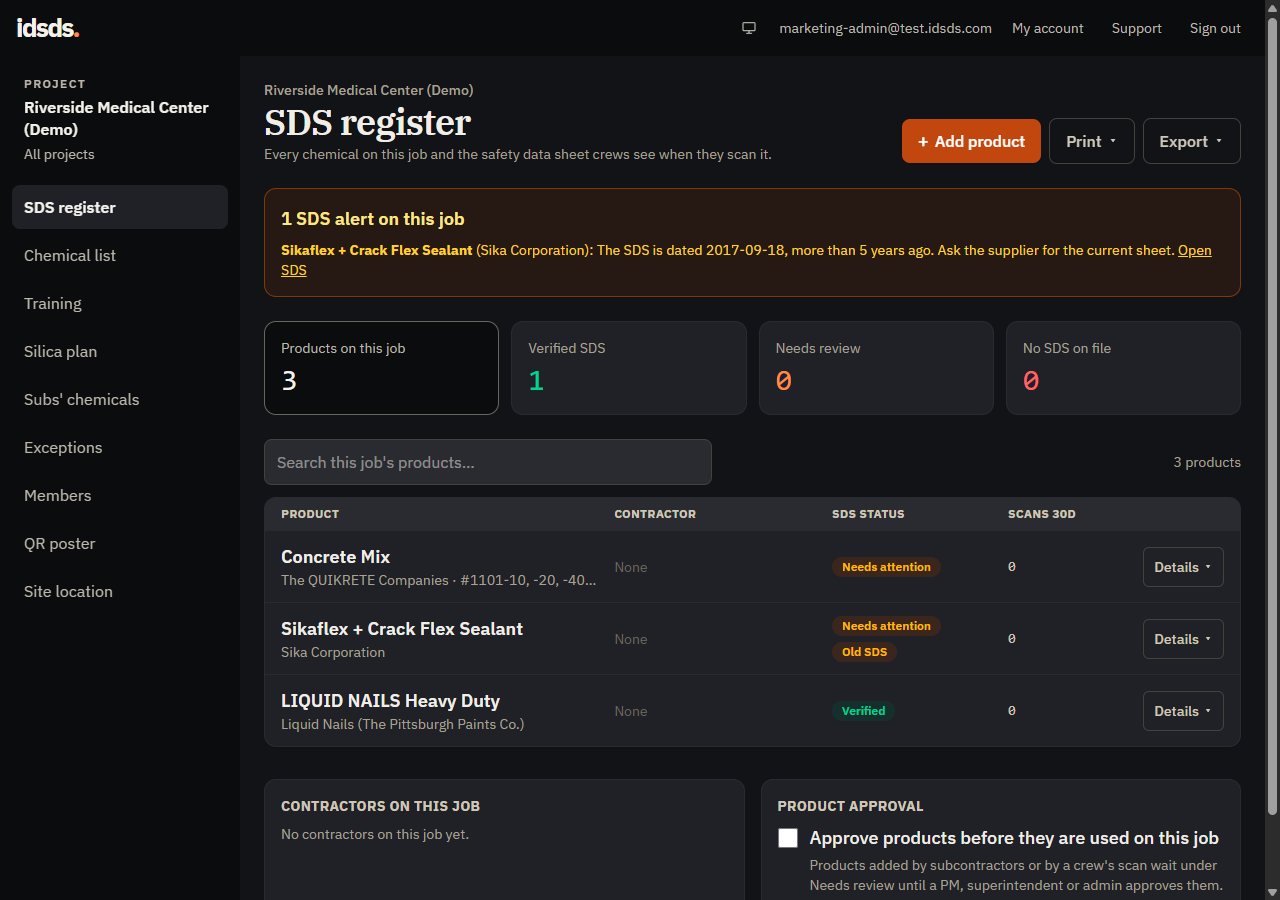
Add the chemicals used on each job. A QR poster opens that job’s SDS list. Workers can view it without an account.
Add products as they arrive. Keep the job’s chemical list and maker SDS links together.
Post the QR code on site. Anyone with the link can open the job’s SDS list without signing in.
Have workers sign the HazCom training record. Keep the sign-offs with the job records.
Plans and prices
Try it free for 14 days. No card needed.
For contractors
Starter and Pro include job chemical lists, crew access, QR posters, container labels and HazCom training sign-off.
| Choose by active jobs | StarterFor up to 3 active jobs | ProFor more than 3 active jobs |
|---|---|---|
| Monthly price | $49per monthor $490 per year | $149per monthor $1,490 per year |
| Active jobs | Up to 3 | Unlimited |
| Priority support (English only) | Not included | Included |
| Try 14 days free | Try Starter free | Try Pro free |
For up to 3 active jobs
$49 per month
or $490 per year
For more than 3 active jobs
$149 per month
or $1,490 per year
Company signup starts with Starter. To choose Pro, open Billing after setting up your company.
Enterprise from $399 per month.
Ask about catalog setup, invoice billing and a named contact.
For one person
500 label photos per month. Unlimited barcode and name searches. Save SDS for use without a signal. See how Solo works.
$9.99 per month
or $99 per yearTry Solo freeQuestions
Solo, Starter and Pro have a 14-day free trial. No card needed. Enter your email to get a setup link.
Anyone with the job link can view its SDS list. You need an account to change the list.
No. Open m.idsds.com on your phone. Add it to your home screen if you want. Manage company jobs at idsds.com.
Only SDS successfully saved on this phone are available offline. Check that they open before heading out. Label photos need internet. Photos taken offline wait until you reconnect and open the app.
Check the product name and maker against the label. If they do not match, ask the maker or your safety lead for the correct SDS.
No. IDSDS keeps SDS, chemical lists and training sign-offs. You still run your safety program and train your crew.
Try 14 days free